Can I claim software subscriptions as business expenses in Canada?
Every month, the same software charges slide through your bank feed.
You recognize the names, know you use the apps for work and categorize the transactions without giving them much thought.
But a familiar recurring charge can still be partly personal, cover a future fiscal year or require different treatment from software you purchase outright.
So, can you claim your software subscriptions as business expenses?
Generally, yes—when the subscription has a real business purpose and the cost is reasonable.
But you can claim only the eligible business portion, and paying the bill does not always mean you can deduct the entire amount right away.
Keep reading because in this post, we’ll work through how Canadian consultants and small service businesses can decide what qualifies, calculate the business portion, record monthly and annual subscriptions, handle GST/HST and keep the records needed to support the claim.
What counts as a software subscription?
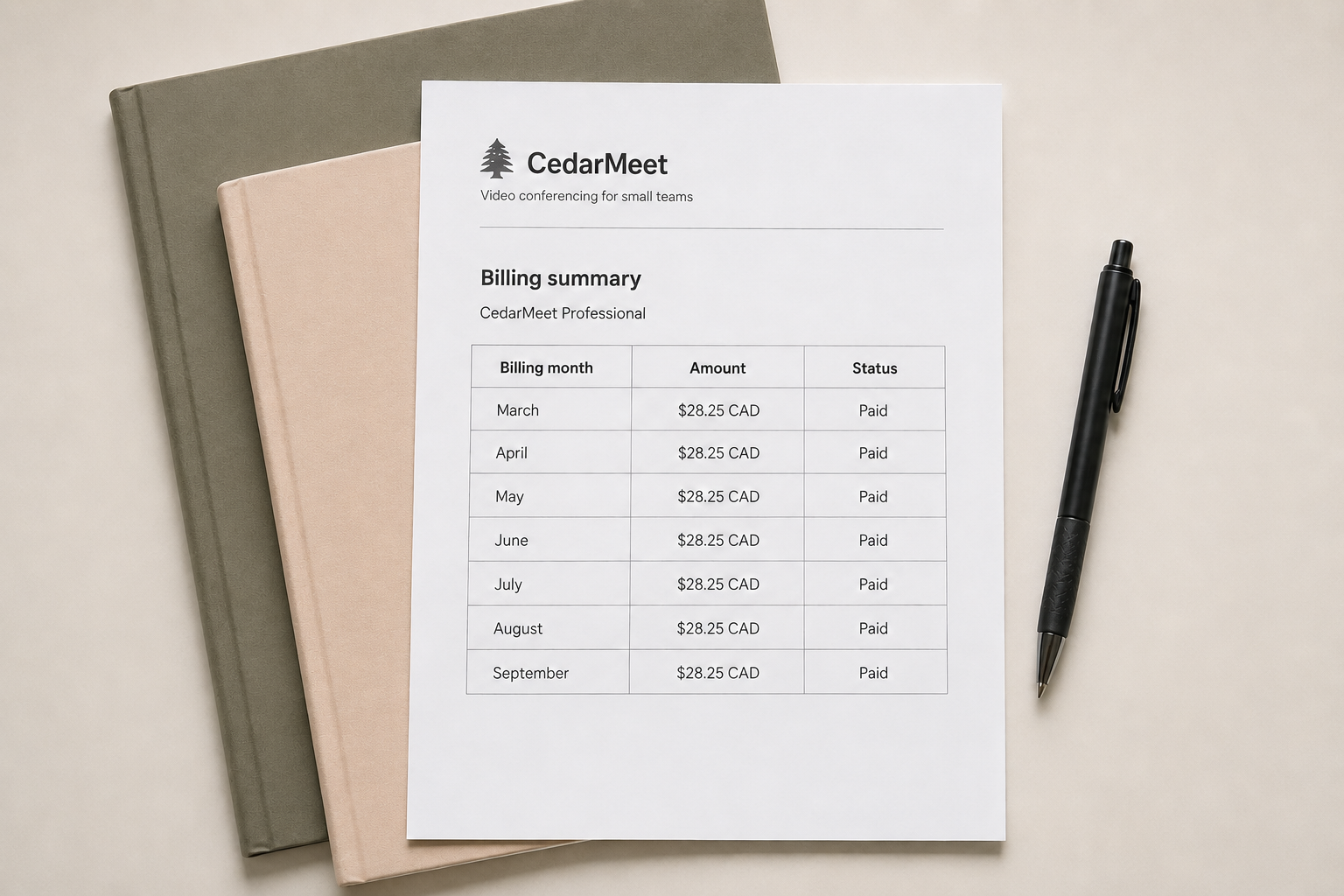
Let’s define what a subscription is first. Say you pay for Zoom every month. You aren’t buying Zoom. You’re paying to use its paid features for the month. If you stop paying, that access ends.
An annual QuickBooks plan works the same way: you pay for a year of access instead of one month at a time. This kind of subscription-based software is often called software as a service, or SaaS. Think QuickBooks, Google Workspace, Canva, Zoom, cloud storage or an AI tool.
This post is about how to claim expenses for that kind of subscription access—not software you buy outright or have developed for your business.
Why does the distinction matter? Because the CRA separates current expenses from capital property.
And paying for temporary access to software will often be a current expense. Whereas paying to acquire software or rights that provide a longer-lasting benefit may require different treatment under the CRA’s capital cost allowance rules.
A provider might call what you’re buying a subscription, plan or licence. The label does not settle the tax treatment. The better question is: are you paying to use the software for a limited period, or are you acquiring software or rights that will last?
Can you deduct software subscriptions as a business expense?
Paying for a subscription with your business credit card does not make it deductible. What matters is why your business pays for it.
Let’s say you’re an HR consultant who uses Zoom for client meetings. In this case, we can draw a clear line between the Zoom subscription and its business use. The same goes for an independent filmmaker using Adobe Creative Cloud to complete client work or a massage therapist using scheduling software to book home visits.
That connection is at the heart of the tax test.
Under the Income Tax Act, an expense generally needs to be incurred for the purpose of earning business income. The amount must also be reasonable in the circumstances.
Just remember this: to claim the expense, the subscription needs a real business purpose, and you should be able to explain what that purpose is.
And that does not mean every tool needs to bring in a client directly. QuickBooks might not make a sale for you, but it helps you keep the business running. Google Workspace can support your business email and documents. Canva might be used to create your marketing materials.
One small reality check: using a personal subscription while you happen to be working does not automatically make it a business expense. And if a subscription is partly for business and partly personal, you cannot assume the whole cost counts. You need to work out the business portion—which we’ll do next.
How much of a software subscription can you claim?
If you use a subscription entirely for your business, you may generally claim the full eligible cost.
And if it’s partly business and partly personal, you can claim only the business portion.
Suppose you’re a professional photographer and you pay $30 a month for Pixieset. You use it to store and deliver client galleries, but you also happen to keep personal photographs there.
If 80% of the storage is used for client work and 20% is personal, storage use may be a reasonable way to divide the cost:
$30 × 80% = $24 business expense
The remaining $6 is personal. Paying the entire $30 with a business credit card does not change that.
There is no single allocation method that works for every subscription. If storage is the main thing you are paying for, storage use might make sense. For another subscription, the number of users, licences, features or hours of use might tell the story better.
The goal is not to find the calculation that gives you the biggest deduction. It is to choose a reasonable method that reflects how you actually use the subscription.
Pro tip: add a note explaining your calculation to the transaction in your accounting software or to the notes column in your expense journal.
For this example, you might write:
80% business use based on 80 of 100 GB used for client galleries.
If you use the same allocation every month, you can document the calculation once in a small worksheet kept with your bookkeeping records. Don’t forget to update it if the way you use the subscription changes.
One note if your business is incorporated
The personal portion is not a business expense whether you operate as a sole proprietor or through a corporation. But it can’t always be recorded the same way.
A sole proprietor’s personal portion can generally be recorded as an owner’s withdrawal.
A corporation is separate from its owner, so a personal cost paid by the corporation may need to be recorded through the shareholder account or treated as a benefit, depending on the circumstances.
The practical takeaway is simple: if your corporation pays for a partly personal subscription, do not leave the entire amount buried in software expenses.
What about GST/HST?
Suppose a software subscription costs $100 plus $13 HST, for a total payment of $113.
If you’re not registered for GST/HST, the $13 will generally form part of the subscription expense. Your total cost is $113.
If you are registered and eligible to claim the full amount as an input tax credit, or ITC, you would record:
$100 as the subscription expense
$13 as recoverable HST
You do not claim a $113 expense and then recover the same $13 through an ITC. The CRA instructs businesses to reduce the expense by the amount claimed as an ITC.
Being registered does not automatically make every dollar of GST/HST recoverable. You can generally claim an ITC only to the extent that the subscription is used in your commercial activities. Your eligibility can also depend on your GST/HST reporting method and whether you make taxable, zero-rated or exempt supplies.
If the subscription is partly personal or partly used to make exempt supplies, you may need to divide the GST/HST too. The CRA says your allocation method must be fair and reasonable and used consistently.
Does it matter whether you pay monthly or annually?
Yes, it can affect when you record and claim the expense. Here’s why: Paying annually does not make a software subscription more or less deductible than paying monthly.
A monthly payment usually covers a short period. An annual payment can stretch across two fiscal years.
Suppose your consulting business has a December 31 year-end.
On July 1, you pay $1,200 for access to a project-management platform from July 1 to June 30 of the following year.
The subscription costs $100 per month:
$1,200 ÷ 12 months = $100 per month
By December 31, your business has received six months of access:
$100 × 6 months = $600
Under the accrual method of accounting, you generally claim a prepaid expense in the year or years in which you receive the related benefit.
That means $600 generally belongs to the current fiscal year and the remaining $600 belongs to the next one. The CRA explains this treatment in its guidance on prepaid expenses.
What about the other $600? The other $600 is recorded on the balance sheet as a prepaid expense. Then, as your business receives the remaining six months of access, that amount moves from prepaid expenses to the appropriate software expense account.
This does not mean you need to make twelve separate entries for every annual app. Depending on the amount and your business’s reporting needs, your bookkeeper might record the expense monthly or make an adjustment at year-end.
The important thing to remember is that paying the full invoice does not always mean the entire payment belongs to that month—or even that fiscal year.
And if you prepay for several years at once, take a closer look before claiming the full payment. More of the subscription may actually belong to future fiscal years.
How should you record software subscriptions in your books?
You open your bank feed and find a charge from a software provider. Which category should you choose: Software subscriptions, Office expenses or Other expenses?
The good news is that there is no magic category that makes the expense deductible. The CRA does not prescribe a bookkeeping account called “Software subscriptions.”
Let’s return to the $113 subscription from the GST/HST example. Assuming the business is eligible to claim the full ITC, you would record:
$100 as a software expense
$13 as recoverable HST
$113 as paid from the bank or owing on the credit card
If you paid with a credit card, the $113 becomes part of the amount you owe the credit card company.
Paying the credit card later reduces that balance—it does not create another software expense.
Should every app go under Software subscriptions?
No, not necessarily.
If your business pays for several apps, a dedicated Software subscriptions account can make your total software spending easy to see. That can be useful when you want to find out how much those seemingly small monthly charges are costing you altogether.
Sometimes, though, the job performed by the software tells you more than the fact that it is software. For example:
A design tool used primarily to create advertising could be included with advertising expenses.
Bookkeeping or practice-management software could be grouped with administrative expenses.
A specialized platform used to complete client work could be tracked as a direct operating cost.
General business apps could be grouped under Software subscriptions.
The best choice depends on the business and the information you want from its reports. What matters is that you choose a reasonable category, use it consistently and keep enough detail to identify the subscription.
Your bookkeeping accounts do not have to copy your tax return
Your chart of accounts is built to help you understand and manage your business. It does not need to copy the lines on a tax return word for word.
For example, Form T2125 does not have a line called “Software subscriptions.” A sole proprietor might report the cost under an applicable expense line or include it with other business expenses if it was not included elsewhere.
Corporations use different tax schedules and reporting categories.
When your financial records are prepared for the tax return, the bookkeeping accounts are mapped to the appropriate tax categories. You do not need to rebuild your everyday chart of accounts to make every account name match a tax-return line.
What records should you keep for software subscriptions?
Your bank feed is not a receipt drawer. Imagine looking at a $42.17 charge six months from now. The transaction proves that money left your account, but it might not tell you which subscription you purchased, what period it covered or whether GST/HST was charged.
So keep the invoice or receipt from the software provider. It should help establish:
Who the supplier was
What you purchased
The invoice date
The amount paid or payable
The subscription period
Any GST/HST charged
You may also need to add information that does not appear on the invoice, such as the business purpose of the subscription and how you calculated the business portion of a mixed-use plan. Attach the invoice to the transaction in your accounting software or save it with your other expense records.
Pro tip: If the provider keeps invoices in an online billing portal, download a copy as soon as possible and keep with your records. Do not assume you’ll still have access to the portal after doing something like cancelling the subscription.
If you claim an ITC
Make sure the invoice contains the information required to support your claim. The CRA’s document requirements vary depending on the amount of the transaction.
A monthly credit card statement alone is not sufficient documentation for an ITC. So keep the supplier’s invoice, receipt or other supporting document as well.
If you are billed in another currency
Keep the original invoice and the information used to determine the Canadian-dollar amount entered in your books.
For example, that might include the exchange rate used by your accounting software or the converted amount shown on your credit card statement.
Your records should make it possible to see both what you purchased and how the Canadian-dollar amount was determined.
How long should you keep everything?
The CRA generally requires businesses to keep supporting records for six years from the end of the last tax year to which they relate.
Longer or different retention periods can apply in certain situations, including late-filed returns, objections and appeals.
Here’s a good gut check: could someone looking only at your records tell what you bought, why it was for your business and how you calculated the amount you claimed?
The bottom line on claiming software subscriptions
Software subscriptions have become an ordinary part of running a consulting or service business. But a recurring charge is not automatically a deductible one.
You can generally claim subscription access that has a real business purpose and costs a reasonable amount. Just remember to claim only the business portion, match the expense to the period it covers and keep the records that support it.
The next time a software charge appears in your bank feed, ask yourself: what am I paying for, how does it help my business, do I use any part of it personally and what subscription period does the payment cover?
Once those answers are clear, you can record the right amount in the right period and have the support to explain it. That is the difference between a charge sitting in your bank feed and a business expense you can confidently claim.
Your software renews automatically. Your bookkeeping should keep up.
Keep your books current with a fixed-price monthly bookkeeping package—month to month, cancel any time before your next billing date.